
Stop Losing Your Lyrics: Organising Your AI Discography
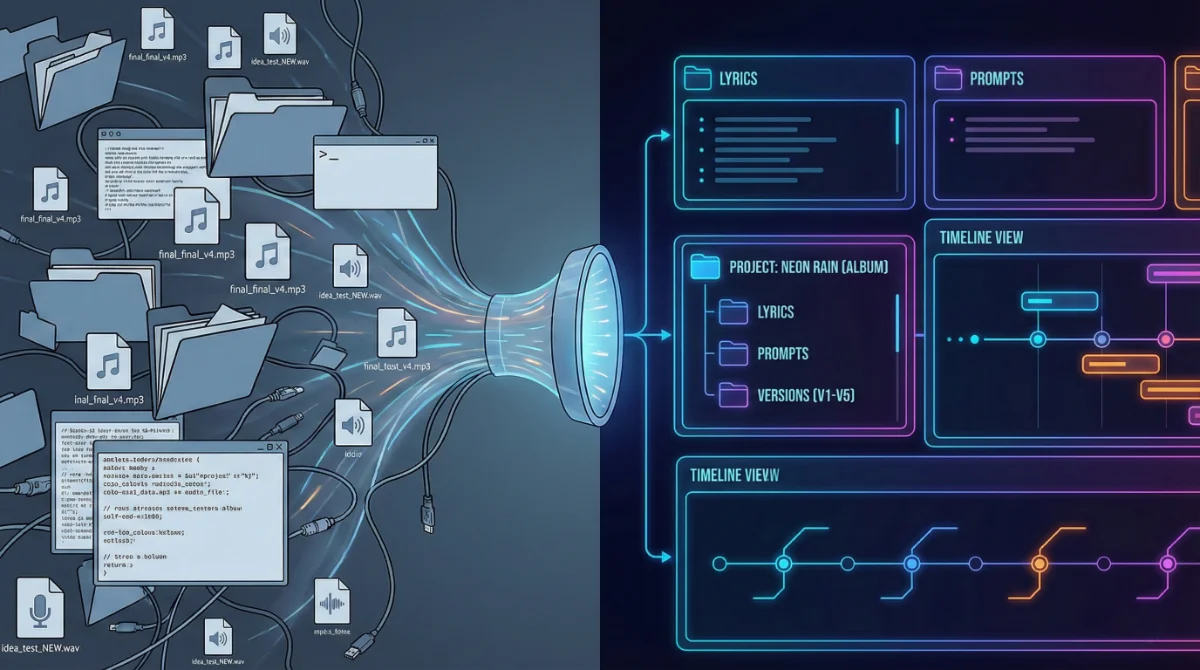
You know the feeling. You are three hours into a Suno session. You have generated 40 variations of a chorus. You finally hear the one perfect melody, great phrasing, no hallucinations.
But then you look at your notes. Which prompt did you use? Did you change the lyrics in that version? Was the "Weirdness" slider at 30% or 40%?
In the raw Suno interface, your history is a linear stream. Finding a specific iteration from two weeks ago is like looking for a needle in a haystack of waveforms.
If you are treating AI music as a hobby, this chaos is fine. But if you are building a Discography, you need a system. You need to stop being a "prompter" and start being a "Project Manager".
The "Suno Void" vs. A Professional Workflow
In professional music production, organisation isn't an afterthought; it is survival. A producer using Ableton or Logic Pro wouldn't dream of saving every file as Project_Final_Final_V2.mp3. They use folder hierarchies, version control, and metadata.
Suno Architect brings this professional rigour to the AI space. Here is the 3-Stage Pipeline you should adopt to keep your sanity.
Stage 1: The "Seed" Phase (Idea Collection)
Most creators lose their best ideas because they are scattered across Notes apps, Google Docs, and scraps of paper.
The Old Way: Text files named "lyrics idea 1".
The Architect Way: Create a Project Collection. Name it by working title (e.g., “Neon Rain – Synthwave Concept”). Inside, use the Idea Generator to store loose rhymes and concept tags. Even if you don't generate audio yet, the song's "DNA" is safe in one place.
Stage 2: Version Control (The "Iterative" Phase)
This is where the chaos usually starts. You tweak a line, regenerate, tweak a tag, regenerate.
The Problem: You lose the "magic combination" that worked five versions ago.
The Solution: Suno Architect’s Lyric Versioning.
Every time you edit your lyrics or tags in Studio Mode, we save a snapshot.
Did V3 sound better than V10? One click restores V3, including the exact metatags and syllable counts you used at that moment.
Pro Tip: Use the "Notes" feature in the sidebar to log which seeds performed well (e.g., "Seed 12345 had great drums, but bad vocals").
Stage 3: The "Master" Phase (Finalising)
Once you have the generated audio you like, the job isn't done. You need to export the data, not just the MP3.
Why? Because you might want to remix that song in 6 months.
The Architect Workflow: When you mark a project as "Complete," Suno Architect allows you to export a Production PDF. This document contains:
The final Lyrics.
The exact Prompt Strings used.
The Style Tags and BPM.
Your session notes.
Result: You have a permanent "Session File" for your song that is independent of any platform updates.
Building Your Catalogue, Not Just Tracks
The difference between a "user" and an "artist" is a Catalogue.
An artist knows they have 12 finished songs, 4 in progress, and 10 archived ideas. A user just has a "Recently Generated" list.
Use Suno Architect’s Dashboard to view your creative output at a high level.
Filter by Genre: "Show me all my Synthwave tracks."
Filter by Status: "Show me everything stuck in 'Draft' mode."
The "Bus Factor"
Imagine if your computer crashed today, or you lost access to your accounts. Would you lose your songs?
If your lyrics exist only in a temporary web interface, you are building on sand. Suno Architect acts as your external hard drive. By syncing your projects to our cloud database, you ensure that your intellectual property—your lyrics, your structures, your prompts—is yours forever.
Stop treating your art like disposable data.
[Organise Your Discography with Suno Architect Pro]